Fake Chat Screenshot Generator
When you just need the still image — pixel-faithful PNG in one click.
Sometimes you don't need a video — a convincing still does the job: a meme, a presentation slide, a UI mockup, a story illustration. Chatimator exports the final frame of any conversation as a PNG (phone, square or wide framing), with every platform detail intact: status bar, header, bubbles, timestamps, receipts, reactions and media.
Because the screenshot comes from the same renderer as the video export, anything you can animate you can also freeze: group chats, voice notes with waveforms, quoted replies, photo messages. Build once, export both a video and a screenshot of the same conversation.
Example: The dentist's next opening
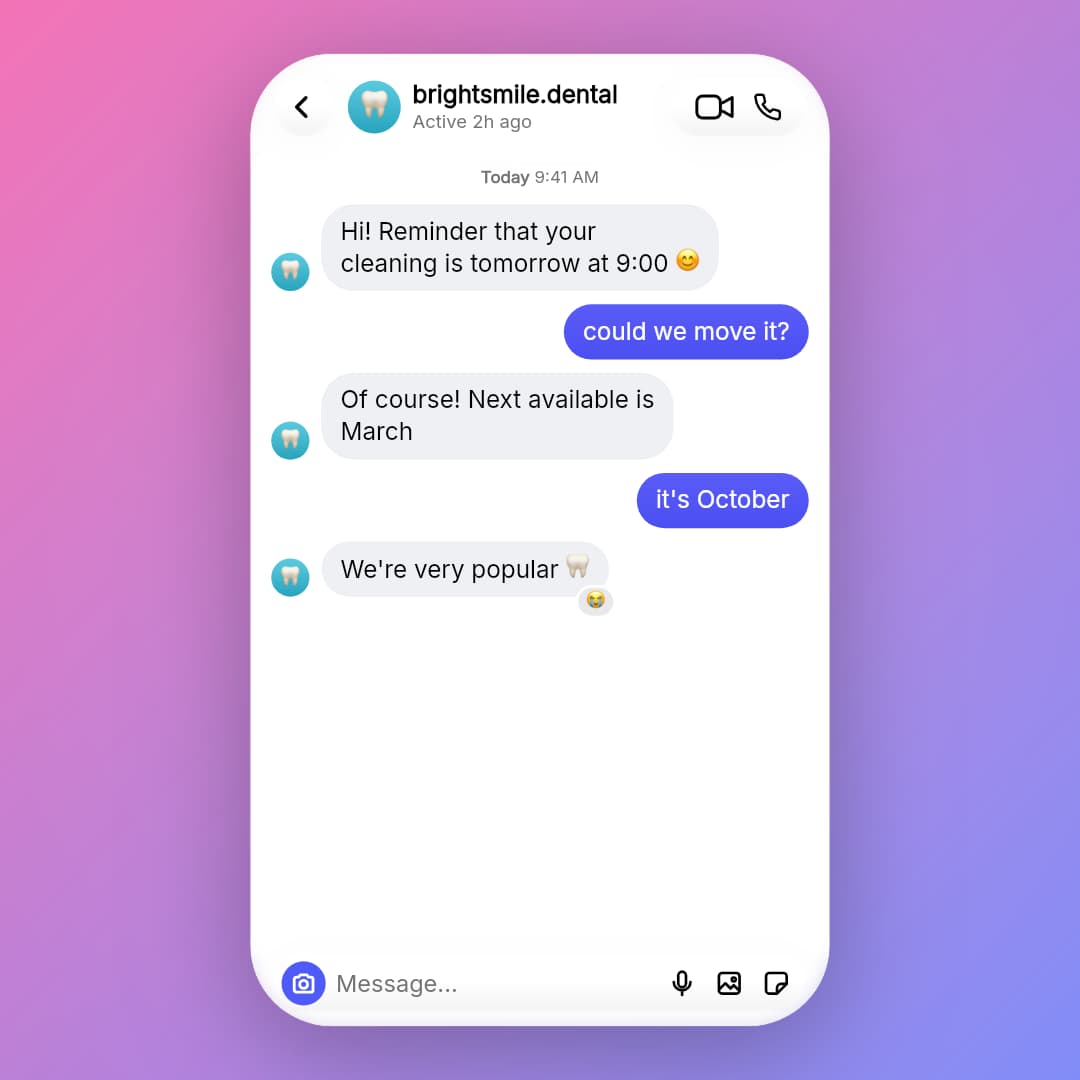
- brightsmile.dental: Hi! Reminder that your cleaning is tomorrow at 9:00 😊
- You: could we move it?
- brightsmile.dental: Of course! Next available is March
- You: it's October
- brightsmile.dental: We're very popular 🦷· reacted 😭
A 1:1 square card — the format feeds, carousels and meme pages use. Square and wide exports crop to the conversation with no status bar and sit on a backdrop gradient you choose; 9:16 gives you the whole phone instead. Instagram DM, light mode.
What you get
One-click PNG
The Screenshot button exports the fully-rendered conversation instantly — just sign in with a free account.
Every platform detail
Status bars, Delivered receipts, blue ticks, in-bubble times, avatars, reactions and voice-note waveforms.
Three sizes
9:16 phone-frame, 1:1 square or 16:9 wide with a customizable backdrop gradient.
Same project, both outputs
Any conversation exports as an animated MP4 and a static PNG — no rebuilding.
How it works
- 1
Build the conversation
Write messages and style the chat like any Chatimator project.
- 2
Click Screenshot PNG
The final frame downloads immediately as a PNG.
Which screenshot size to export
- 9:16 — the full phone
- Status bar, notch or Dynamic Island, header and home indicator, exactly like a phone capture. Use it for Stories, phone mockups and anything meant to pass as a real screenshot.
- 1:1 — the feed card
- The conversation cropped onto a square backdrop with no status bar. Best for Instagram and X feeds, carousels and memes.
- 16:9 — slides and thumbnails
- The phone framed on a wide backdrop. Drops straight into a presentation, a blog header or a YouTube thumbnail.
- Transparent background
- Leave the backdrop transparent and the PNG keeps its alpha channel, so you can place the phone over any design without cutting it out.
- It's the final frame
- The PNG shows the conversation with every message visible. Need an earlier moment? Delete the later messages, export, then undo.
Every export format and size, explained →
Frequently asked questions
Is the screenshot watermarked?
Free-plan exports carry a small watermark; Pro exports are clean, with no watermark or branding.
What resolution are the screenshots?
Phone, square or wide framing — up to 1080×1920, 1080×1080 or 1920×1080 on Pro.
Can I get both a video and a screenshot of the same chat?
Yes — both export buttons work on the same project, rendered by the same engine, so they match exactly.
Related tools
Try it now — free to start
Open the editor, write your first conversation and preview it instantly — then export with a free account.
Open the editor