Text Message Video Maker for YouTube & Shorts
From 30-second Shorts to 16:9 story compilations — one editor, both formats.
Texting-story content is one of YouTube's most durable faceless-channel formats: chat conversations that unfold on screen, from quick Shorts to 10-minute 16:9 compilations with millions of views. Chatimator produces both from the same editor — a 9:16 export for YouTube Shorts, and a 16:9 export with a customizable backdrop for regular YouTube videos (up to 1080p 60fps on Pro).
Everything a texting-story channel needs is built in: realistic iMessage, WhatsApp and Instagram skins, typing indicators, human keyboard typing with typos, message sounds already mixed into the audio track, and voice notes and group chats for ensemble stories. Because rendering is client-side, you can batch out episodes quickly — write, export, next.
Example: Linda from 4C has your package
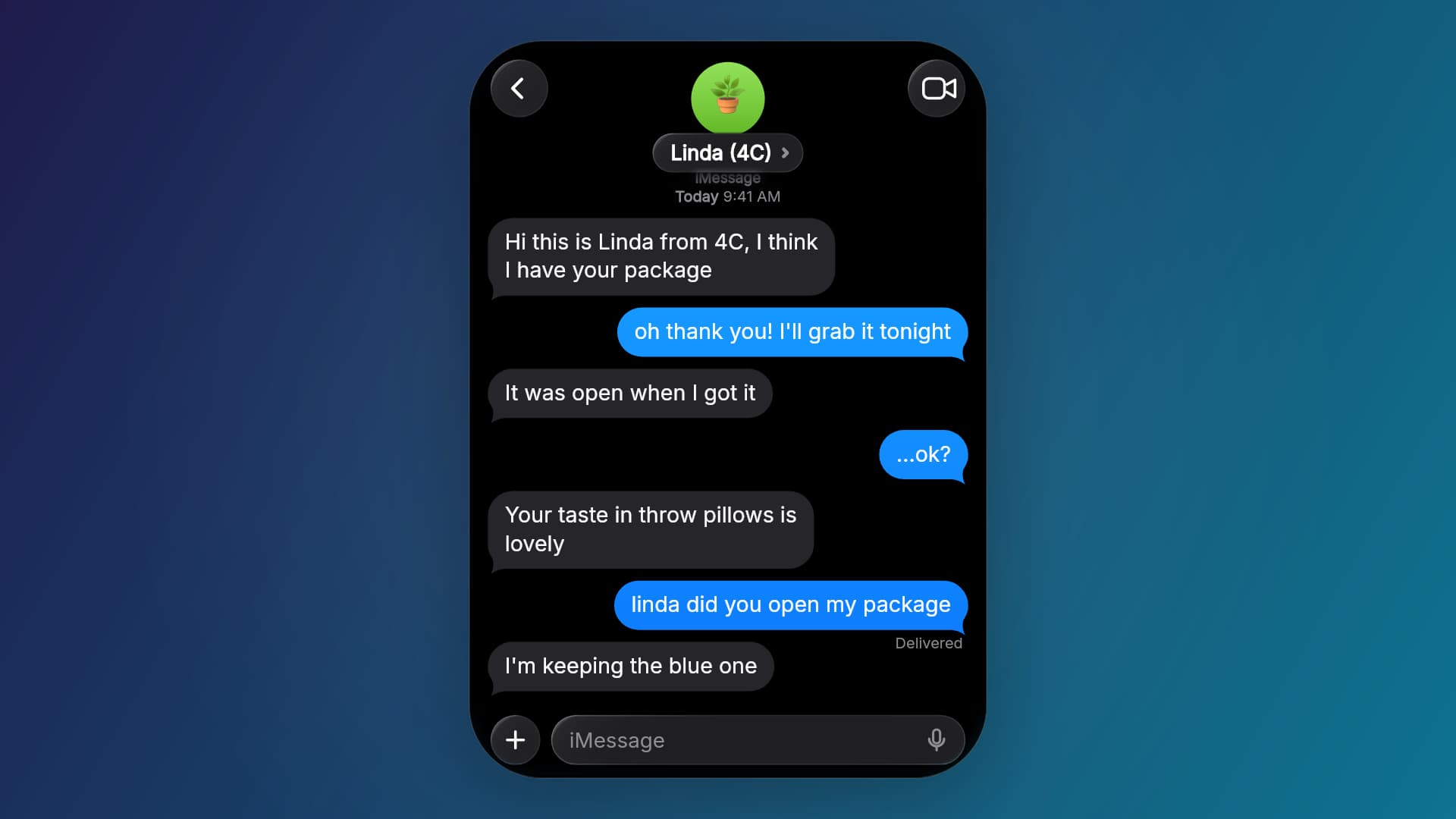
- Linda (4C): Hi this is Linda from 4C, I think I have your package
- You: oh thank you! I'll grab it tonight
- Linda (4C): It was open when I got it
- You: …ok?
- Linda (4C): Your taste in throw pillows is lovely
- You: linda did you open my package
- Linda (4C): I'm keeping the blue one
The 16:9 layout for standard YouTube uploads: the phone sits on a backdrop you choose, leaving the sides free for an episode title, captions or a narrator overlay. The same project exports 9:16 for Shorts with one switch. iMessage dark mode.
What you get
Shorts and long-form
9:16 for YouTube Shorts, or 16:9 with a phone-in-frame layout and custom backdrop for standard videos — up to 1080p on Pro.
Faceless-channel friendly
No camera, no voice needed — the conversation is the content, and sounds are baked in. Add narration in your editor afterwards if your channel uses it.
Batchable episodes
Client-side rendering means exports take seconds — with Pro's unlimited exports, produce a week of episodes in one sitting.
Real platform skins
iMessage, WhatsApp or Instagram DM, in dark or light, iOS or Android — stories read as authentic screen recordings.
Keyboard typing mode
Show messages being typed with human rhythm, typos and corrections — strong retention for Shorts hooks.
How it works
- 1
Pick the format
9:16 for Shorts, 16:9 for a standard YouTube upload — switch any time, same conversation.
- 2
Write the episode
Script the conversation with pacing beats, reactions, media and cliffhanger Wait times.
- 3
Export and upload
Download the MP4 (H.264 + AAC — YouTube-ready) and upload straight to your channel.
Running a texting-story channel
- Shorts for discovery, long-form for watch time
- Post single stories as 9:16 Shorts and compile the best into 16:9 videos. Same projects, two formats, no rebuilding.
- Keep recurring characters
- Reuse contact names and avatars across episodes. 'Linda from 4C' becoming a regular is what turns viewers into subscribers.
- Use the side space
- In 16:9 the phone takes the middle of the frame — put the episode title, a subscribe prompt or captions in the margins in your video editor.
- Make the thumbnail from a PNG
- End the story on its punchline and export a screenshot — it's sharper than a frame grab from the compressed video.
- Add something of your own
- YouTube's monetization rules favour original work. Write your own scripts and add narration or commentary rather than re-posting other channels' stories.
Frequently asked questions
What's the best format for YouTube texting stories?
Shorts want 9:16; standard uploads want 16:9. Chatimator exports both from the same project — the 16:9 mode frames the phone over a customizable backdrop.
Can I monetize texting-story videos made with Chatimator?
The videos you create are yours. Monetization depends on your channel meeting YouTube's policies — original scripts and added value (narration, editing, commentary) matter; reused or deceptive content doesn't qualify.
Is the exported file compatible with YouTube?
Yes — MP4 with H.264 video and AAC audio uploads directly with no re-encoding needed; Pro exports at 1080p 60fps.
Do I need to record sound separately?
No. Message tones, typing sounds and keyboard clicks are already mixed into the export. Many channels add a voiceover or background music on top in their editor.
Related tools
- Text Story Video Maker for TikTok, Reels & Shorts
- How to Make a Fake Text Message Video
- Keyboard Typing Video Maker
Try it now — free to start
Open the editor, write your first conversation and preview it instantly — then export with a free account.
Open the editor