Fake Notification Video Maker
The lock-screen stack: one alert lands, then the missed calls and texts tell the story.
Chatimator recreates the iOS lock screen — padlock, date, the big clock, the flashlight and camera buttons — and drops notification cards onto it one at a time, with the same spring animation and sound as a real alert. It's built for the 'notification stack' format: a salary that lands with two extra zeros, then 43 missed calls from the boss, then a panicked chat message asking you to call back.
Every card is yours to write: pick the app (phone, texts, chat, DMs, bank, mail or a custom app with your own icon), the sender, the title, the body and the relative time ('15m ago', 'il y a 15 minutes' — any language). Export an animated 9:16 MP4 for TikTok, Reels and Shorts, or a still PNG of the finished stack. The lock-screen format is part of Chatimator Pro ($5.99/mo), alongside unlimited 1080p 60fps exports with no watermark.
Example: The flight before the wedding
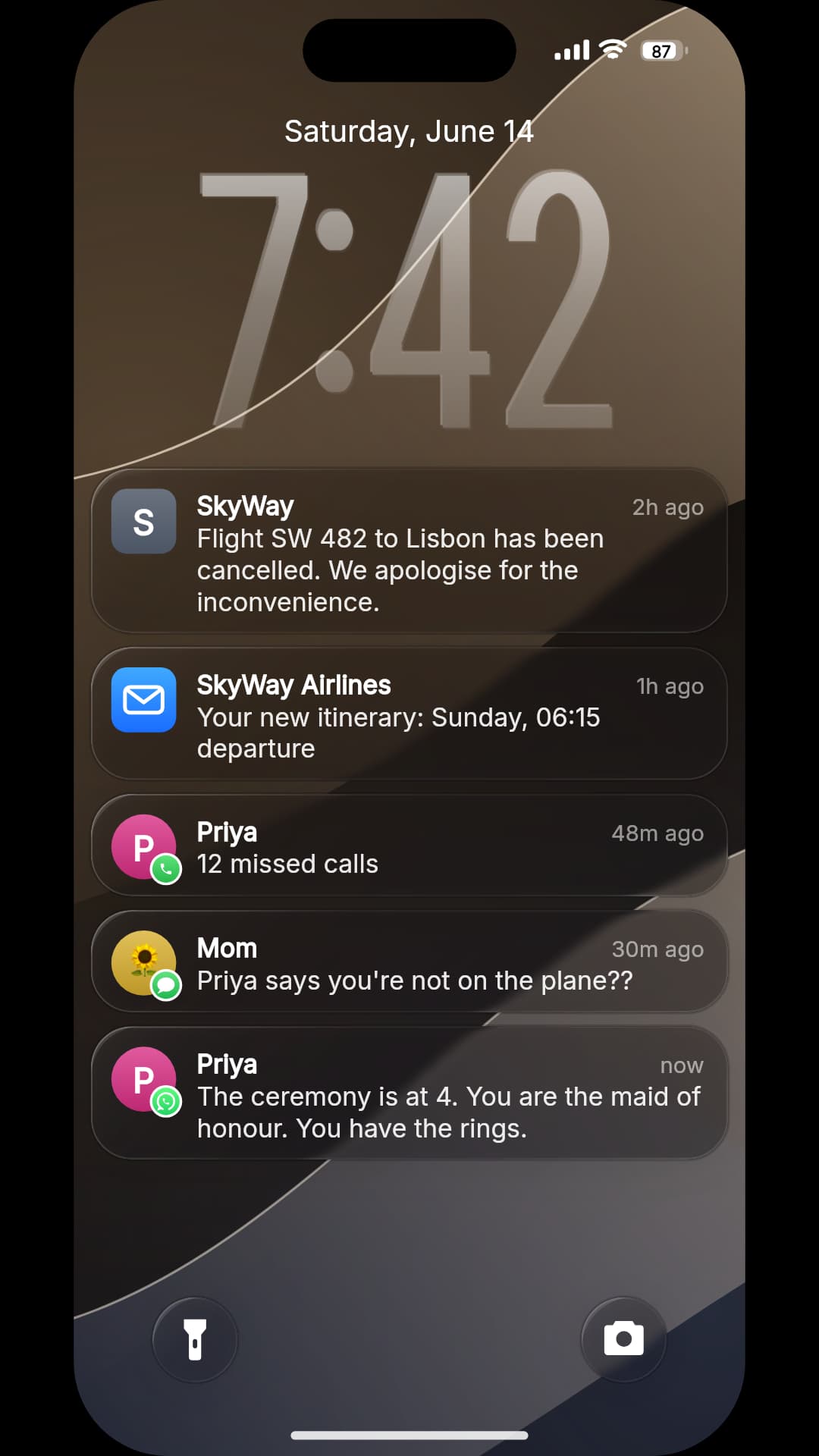
- SkyWay · 2h ago: Flight SW 482 to Lisbon has been cancelled. We apologise for the inconvenience.
- SkyWay Airlines · 1h ago: Your new itinerary: Sunday, 06:15 departure
- Priya · 48m ago: 12 missed calls
- Mom · 30m ago: Priya says you're not on the plane??
- Priya · now: The ceremony is at 4. You are the maid of honour. You have the rings.
Five cards, two hours. The cancellation lands first, the missed calls escalate, and the last card is the one you read twice. A custom app name ('SkyWay') stands in for the airline, and contact apps show the sender's avatar with an app badge. iOS lock screen, dark.
What you get
Real lock-screen chrome
Padlock, date line, the big clock (set to any time), status bar, Dynamic Island or notch, flashlight and camera buttons, home indicator — on the device you pick.
Any app, your icon
Built-in phone, messages, chat, DM, bank and mail tiles, plus custom apps with an uploaded icon — so the bank alert can be your bank.
Missed calls and messages
Contact apps show the sender's avatar with an app badge, exactly like the real thing; '43 missed calls' is one line of text.
Timed drops with sound
Cards land one by one with a spring and the alert tone baked into the export audio; add a Wait before the big card so it hits.
AI writes the stack
Describe what happened — 'flight cancelled the morning of the wedding' — and AI writes the whole sequence, apps, senders and times included.
How it works
- 1
Pick Lock screen
Choose the Lock screen style in the editor, set the clock, date and wallpaper.
- 2
Add notifications
Type each card, choose its app and sender, and set the title and relative time — or load the example and edit it.
- 3
Export
Download an animated 1080p MP4 or a PNG of the final stack — included with Pro, no watermark.
Building a notification stack that tells a story
- One inciting alert
- The first card sets up the premise in a single line — a transfer, a cancellation, a delivery. Everything after it is a reaction.
- Count down to 'now'
- Give each card a relative time that gets closer to the present: '2h ago', '48m ago', 'now'. It turns a static stack into a timeline.
- Escalate with missed calls
- '12 missed calls' is one short card that says more than a paragraph. Stack two from different people for panic.
- Lead with the twist
- Cards cut off after four lines, like iOS. Put the important words at the start of the text, not the end.
- Four to seven cards
- Fewer feels like a screenshot; more and the first cards scroll away under the clock before viewers have read them.
Want the news to break it first? Open on a TV bulletin made with Breaking News Maker →
Frequently asked questions
Is the lock-screen format free?
The lock-screen notification style is part of Chatimator Pro ($5.99/month), which also includes unlimited 1080p 60fps exports with no watermark and every device frame. The chat platforms — iMessage, WhatsApp and Instagram DM — are available on the free plan.
Can I make a fake bank notification?
Yes — pick the Bank app, name it whatever you like and optionally upload its icon; the body is free text, so any currency or format works.
Does it animate, or is it just a screenshot?
Both. The video shows each notification dropping in on the lock screen with sound; the PNG export gives you the finished stack as a still image.
Can I write the notifications in another language?
Yes. Titles, bodies, the date line and the relative time are all free text — 'il y a 15 minutes', 'hace 2 h', anything.
Is it okay to make fake notification videos?
For skits, memes and mockups, yes — it's a standard comedy format. Don't use fake alerts to defraud or defame real people or institutions, and label fictional content clearly.
Related tools
- How to Make a Fake Text Message Video
- Text Story Video Maker for TikTok, Reels & Shorts
- Fake Chat Screenshot Generator
Try it now — free to start
Open the editor, write your first conversation and preview it instantly — then export with a free account.
Open the editor