Fake Group Chat Video Generator
The group-chat chaos format — multiple members, names, avatars and all.
Group-chat skits are a genre of their own: the roommate thread, the family group, the friend who replies at 3am. Chatimator supports real group conversations — add as many members as you want, each with a name, emoji or photo avatar, and a color used for their name label exactly where each platform shows it.
On WhatsApp, sender names render colored inside bubbles; on iMessage and Instagram they appear as small labels above each sender's run of messages. The header shows stacked member avatars and a 'You, Alex, Maya' subtitle, and the typing indicator shows which member is about to speak.
Example: Who ate the pad thai
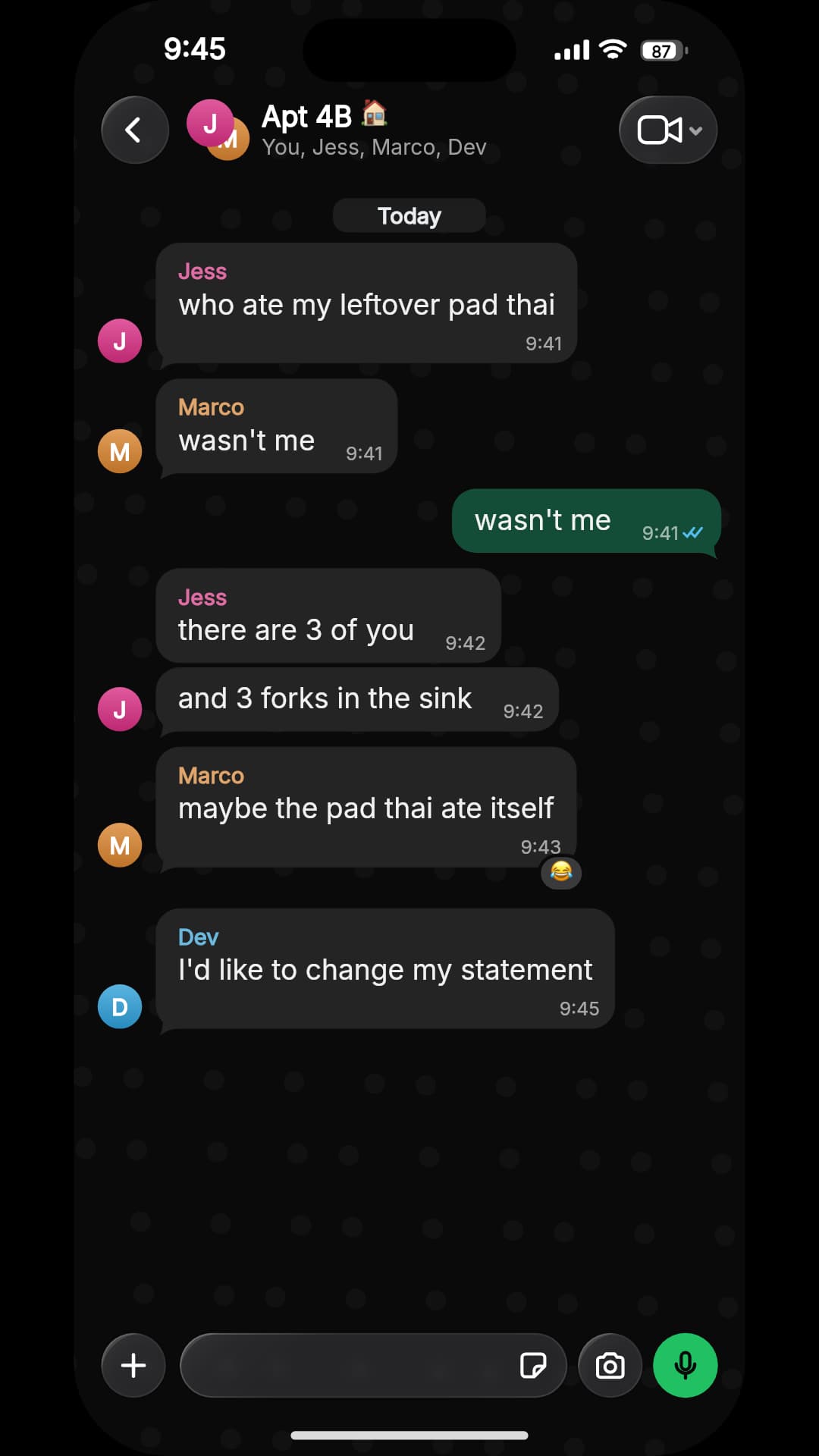
- Jess: who ate my leftover pad thai
- Marco: wasn't me
- You: wasn't me
- Jess: there are 3 of you
- Jess: and 3 forks in the sink
- Marco: maybe the pad thai ate itself· reacted 😂
- Dev: I'd like to change my statement
Four roommates, one missing dinner. Each member has their own colour, which WhatsApp shows as the sender name inside the bubble; the header carries the group name and member list. The member who stayed quiet gets the last line. WhatsApp dark mode, iPhone 15 Pro.
What you get
Unlimited members
Add any number of participants with names, avatars and per-member colors.
Platform-correct name labels
Colored in-bubble names on WhatsApp; gray labels above bubbles on iMessage and Instagram — matching each app's real group UI.
Group header
Stacked avatars, group name and member-list subtitle, like a real thread.
Per-member avatars everywhere
Avatars render beside each member's messages and on the typing indicator.
Full feature set
Reactions, replies, media, voice notes, timestamps and keyboard typing all work inside groups.
How it works
- 1
Enable Group conversation
Flip the toggle in the People panel; your contact becomes the first member.
- 2
Add the cast
Create members with names, avatars and colors. Assign each message a sender from the dropdown.
- 3
Export
Download the animated MP4 or a screenshot — the free plan includes one export a month.
How to cast a group chat
- Three to five members
- Fewer than three and it's just a conversation; more than five and viewers can't track who's who in a 30-second video.
- Give everyone one job
- The instigator, the one who denies everything, the voice of reason, the lurker. One trait each is enough — the format does the rest.
- Let the quiet one land it
- A member who says nothing all video and then sends one message at the end gets the biggest reaction.
- Make names easy to tell apart
- Different first letters and different colours. 'Jess, Marco, Dev' scans instantly; 'Jen, Jess, Jo' doesn't.
- The group name is a joke slot
- 'Apt 4B 🏠', 'Family (no mom)', 'Wedding planning 🚨' — it's the first thing on screen, so use it to set up the premise.
Frequently asked questions
How many people can be in the fake group chat?
There's no fixed limit — add as many members as your story needs; each gets a name, avatar and color.
Do sender names show like in real group chats?
Yes, and per platform: colored names inside WhatsApp bubbles, small gray labels above bubbles on iMessage and Instagram.
Can different members send photos and voice notes?
Yes. Every message type — media, reactions, replies — can come from any member.
Related tools
Try it now — free to start
Open the editor, write your first conversation and preview it instantly — then export with a free account.
Open the editor