Text Story Video Maker for TikTok, Reels & Shorts
The chat-story format that gets millions of views — without After Effects.
Text-message story videos are one of the most reliable formats on TikTok, Reels and YouTube Shorts: a conversation unfolds on screen, viewers stay to see the reply, and the comment section argues about it. Producing them used to mean After Effects templates or expensive subscription tools — Chatimator does it in the browser, in minutes, free to start.
Write the conversation, pick a platform skin, and export a 9:16 MP4 (1080p60 on Pro) with typing indicators, message sounds and optional live keyboard typing. Timing is automatic — pauses scale to message length so the pacing feels human — and you can add per-message delays for dramatic beats.
Example: Who pays for Netflix
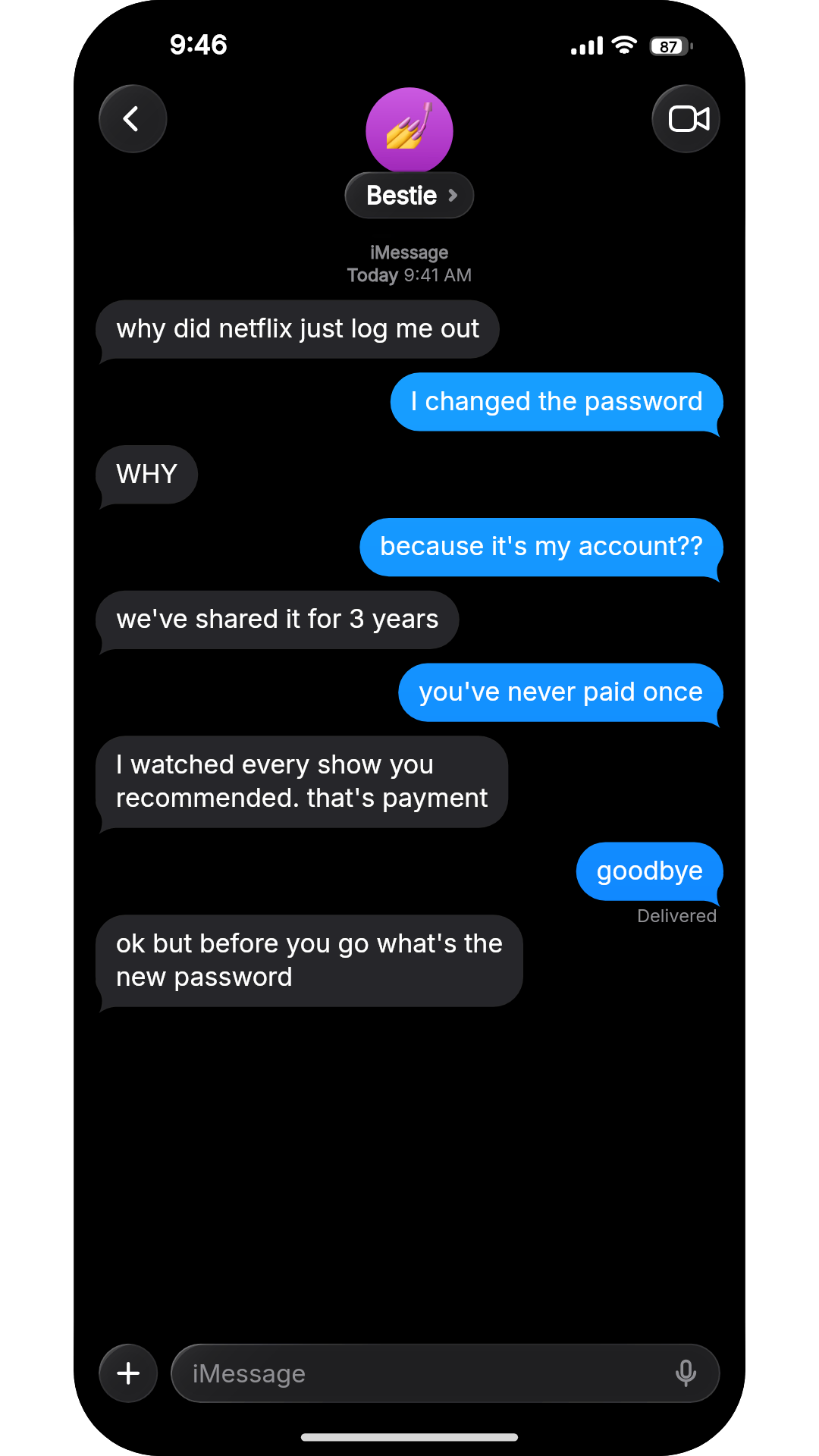
- Bestie: why did netflix just log me out
- You: I changed the password
- Bestie: WHY
- You: because it's my account??
- Bestie: we've shared it for 3 years
- You: you've never paid once
- Bestie: I watched every show you recommended. that's payment
- You: goodbye
- Bestie: ok but before you go what's the new password
Hook in the first bubble, a new reveal every couple of messages, and a 3-second Wait before the last reply so the punchline gets the screen to itself. iMessage dark mode on iPhone 15 Pro Max, exported 9:16 — this is the final frame.
What you get
9:16 vertical, feed-ready
The exact shape TikTok, Reels and YouTube Shorts want — 720p on the free plan, 1080×1920 at 60fps on Pro.
Automatic human pacing
Typing indicators and reading pauses scale with message length; add extra 'Wait' seconds on any message for a cliffhanger beat.
Keyboard typing mode
Show the message being typed on an on-screen keyboard with realistic rhythm, typos and corrections — the style that reads as a genuine screen recording.
Sound design built in
Send/receive tones and keyboard clicks are mixed into the export, so it's ready to post without editing.
Fast iteration
Change the script and re-export in seconds — unlimited exports on Pro. Save nothing to the cloud; everything stays in your browser.
How it works
- 1
Write or generate the script
Type the conversation, or describe the premise in a sentence and let the AI script generator draft it.
- 2
Set the pauses
Add a Wait on the reveal message, and switch on keyboard typing if the story is told from your side.
- 3
Export and post
Download the 9:16 MP4 and upload straight to TikTok, Reels or YouTube Shorts.
A four-beat script for text stories
Most text stories that hold attention follow the same shape. Script against it before you open the editor:
- 1. Hook — messages 1–2
- Start mid-conflict. 'why did netflix just log me out' beats 'hey what's up' — viewers decide in the first second whether to swipe.
- 2. Escalate — the middle
- Every reply should raise the stakes or reveal something. If a message could be deleted without losing the story, delete it.
- 3. Pause
- Add a 2–3 second Wait before the big reply. The typing indicator pulsing on screen is what keeps people watching.
- 4. Payoff — the last message
- End on the line people will quote in the comments, and don't add anything after it. Let it hang.
- Aim for 15–35 seconds
- That's roughly 8–14 short messages at normal speed. Longer stories work too — but trim before you add.
Read the full breakdown: anatomy of a viral text story →
Frequently asked questions
What's the best video size for TikTok text stories?
9:16 — Chatimator's default Reels format, at 1080×1920 on Pro. It also exports 1:1 and 16:9 for other placements.
Do I need to add sounds in an editor afterwards?
No. Message tones, typing sounds and keyboard clicks are already in the exported MP4's audio track.
Can viewers tell it's not a real screen recording?
Chatimator reproduces platform UIs closely — status bars, typing indicators, human typing rhythm with typos. For fiction and skits that's the point; always label fictional content clearly.
How long can the video be?
As long as your conversation needs. Duration is driven by the script; a typical 8-message story runs 15–30 seconds, ideal for short-form feeds.
Related tools
Try it now — free to start
Open the editor, write your first conversation and preview it instantly — then export with a free account.
Open the editor